
MoTekLab MetaForge: Why Your Linux Media Library Needs a Privacy-First Automated Metadata Tagger
Every digital archivist, home theater enthusiast, and Linux desktop user eventually hits the same wall: a hard drive filled with hundreds of video files—independent films, recorded university lectures, documentaries, television series, and personal family archives—that look like an unreadable spreadsheet of raw filenames.
When you open those folders in VLC, MPV, or a local media server such as Jellyfin, Kodi, or Emby, missing container metadata means blank thumbnails, ungrouped episodes, missing synopses, and mismatched years. Fixing that manually with command-line flags is tedious, while legacy desktop taggers often force you into paid subscriptions, cloud accounts, or painfully slow file-copying remux operations.
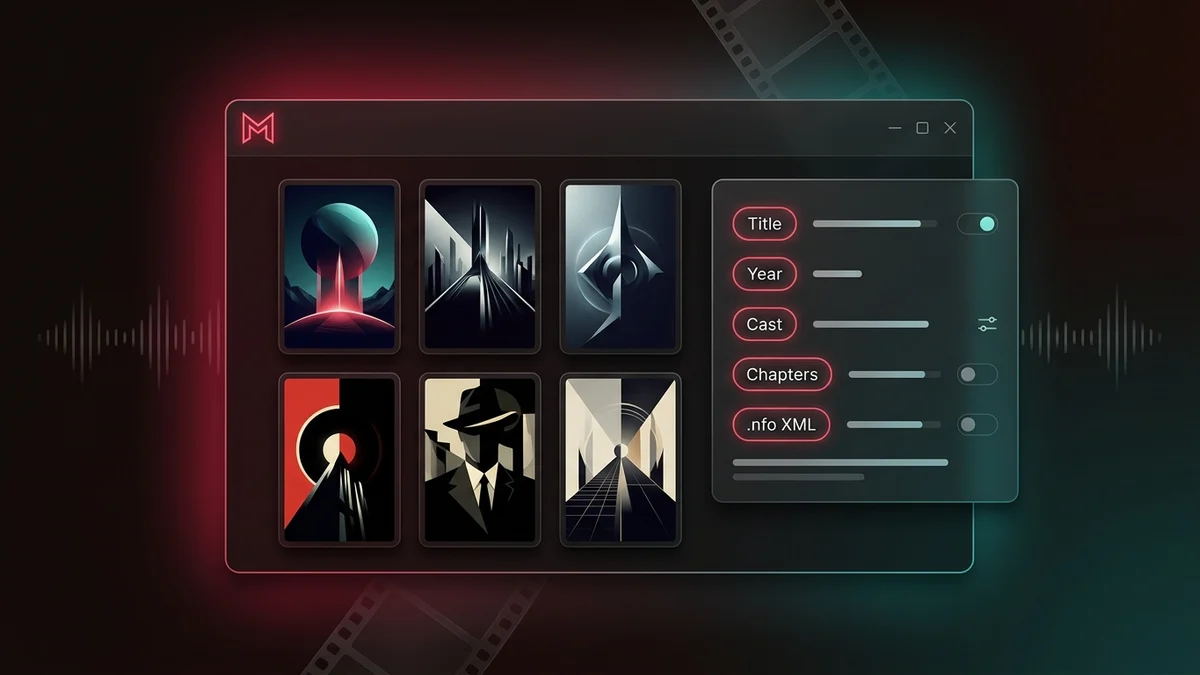
MoTekLab MetaForge was engineered to solve all of these problems in a single, fast, completely private Linux-first desktop application. Built on Tauri v2 (Rust core) and Svelte 5, MetaForge brings automated multi-source metadata discovery, instant container tagging, chapter authoring, artwork embedding, and media-server .nfo generation together—with zero cloud telemetry and zero hardcoded developer keys.
Why People Need MoTekLab MetaForge
Embedded metadata is the backbone of a clean, self-hosted media library. Without structured tags inside your .mp4, .m4v, and .mkv containers, your files depend entirely on fragile folder conventions and external scraper caches that vanish whenever you move drives or rebuild a media server.
MetaForge matters because it addresses the five biggest pain points of modern media organization:
- Instant Performance Without Disk Wear: Traditional tagging utilities rewrite an entire 8 GB video file to a temporary copy just to change a title or embed a poster. MetaForge uses native in-place atomic atom writing for MP4 containers and native MKVToolNix property editing for Matroska files, completing tag writes in milliseconds rather than minutes.
- True Privacy and Local-First Ownership: Every inspection, file rename, artwork embed, and
.nfoexport executes locally on your machine. MetaForge has no user accounts, no usage analytics, and no remote tracking. - Zero API Key Paywalls Out of the Box: Most competing taggers stop working until you register developer accounts across multiple third-party portals. MetaForge works immediately after installation using keyless public catalogs including Wikidata, Wikipedia, TVmaze, Apple TV, and Elcinema—while still supporting optional personal keys for TMDB, TVDB, and OMDb stored securely in your local system keychain.
- Media Server Compatibility Everywhere: By writing both embedded container tags and standards-compliant Kodi NFO XML files, your library is recognized accurately across Kodi, Jellyfin, Emby, Plex, and standalone players on the first scan.
- First-Class Multilingual and Arabic Support: Mixed-direction titles (such as Arabic film or series titles paired with Latin numbers, season codes, or file extensions) frequently break standard desktop UIs. MetaForge isolates every mixed-direction string using
<bdi>bidirectional isolation rules and pairs an English interface with a dual-language (English and Arabic) built-in help guide.
BEFORE MetaForge:
  Blender_Tears_Of_Steel_Master_4K.mp4
  (Blank cover art, no synopsis, no cast/director tags, no chapter index)

AFTER MetaForge:
  Tears of Steel (2012).mp4
  |-- High-resolution poster embedded atomically inside the container
  |-- Complete synopsis, director, writers, studio, genres, and cast metadata
  |-- Clean chapter markers imported or auto-generated
  |-- Companion Tears of Steel (2012).nfo generated for Kodi / Jellyfin / Emby
Latest Updates and Upgrades
Over the recent development cycle (through v0.10.2), MetaForge has received major architectural upgrades focused on real-world search resilience, speed, and effortless maintenance:
1. In-App Release Update Center and Quiet Startup Notifications (v0.10.2)
Keeping Linux desktop software current should not require manually polling release pages. MetaForge now includes a lightweight Rust backend update checker that quietly queries the official public release feed on startup without slowing down launch time.
- Subtle Notification Indicator: When a newer release is published, a clean indicator dot appears on the About button in the top bar.
- Manual Check and One-Click Upgrade Command: Opening the About dialog provides a dedicated Check for Updates button with live status feedback, a direct link to the GitHub release notes, and a one-click Copy button for
sudo apt update && sudo apt upgrade.
2. Fuzzy Typo Tolerance and Punctuation Invariance (v0.10.1)
Real-world media filenames and quick manual searches rarely match catalog punctuation character for character. Previously, typing Greys Anatomy instead of Grey's Anatomy, or Spiderman instead of Spider-Man, could cause strict local filters to discard valid results.
- Bounded Damerau-Levenshtein Matching: MetaForge now tolerates single-character typos (transpositions, insertions, deletions, and substitutions) on words of five or more letters, and up to two edits on words of seven or more letters.
- Alphanumeric Punctuation Normalization: Apostrophes, hyphens, and dotted acronyms are normalized automatically so queries like
Agents of SHIELDcleanly matchMarvel's Agents of S.H.I.E.L.D.. - Strict Short-Word Safeguards: Words of four characters or fewer remain strictly matched so unrelated short titles (such as
ThorversusTron, orLostversusLast) never cross-match. - OMDb Possessive Fallback and Wikipedia Optimization: Queries missing an apostrophe on words ending in
sautomatically retry with possessive formatting on OMDb, while non-Arabic searches skip Arabic Wikipedia to cut latency in half and avoid rate limits.
3. Two-Tier TV Series Year Matching (v0.10.1)
TV databases catalog shows by their original premiere year, which creates a classic conflict between two common scenarios:
- Reboots Sharing a Name: When tagging an episode of Dark Matter (2024), the file's year metadata must strictly filter out the unrelated Dark Matter (2015) series.
- Long-Running Ongoing Series: When tagging a 2026 episode of Grey's Anatomy (which premiered in 2005), a rigid year filter should never erase the 2005 series just because a season catalog entry carries a 2026 date.
MetaForge resolves both cases cleanly with a two-tier filter: if any primary TV series matches target ± 1, conflicting older series are strictly removed; if no series premiered in that window, earlier ongoing series are preserved and ranked by proximity.
4. Instant In-Place Atomic MP4 Tagging and .nfo XML Export (v0.10.0)
- Native
mp4ametaTagging: Replaced full-fileffmpegremuxing with atomic in-place MP4 atom writing for standard metadata, custom freeform tags, and embedded cover art. - Kodi / Jellyfin / Emby
.nfoExporter: Generates clean<movie>and<episodedetails>XML sidecars complete with XML-escaped descriptions, cast, directors, writers, studios, and external ID cross-references (imdb,tmdb,tvdb), either automatically on every write or on demand. - Parallel Multi-Source Dispatch: Concurrent Rust async queries cut multi-provider search latency by roughly 85 percent.
Complete Feature Overview
Everything included in MoTekLab MetaForge today:
Metadata Discovery and Inspection
- Eight Integrated Metadata Sources: Keyless out-of-the-box access to Wikidata, Wikipedia, TVmaze, Apple TV / iTunes, and Elcinema (Arabic cinema and TV), plus optional user-provisioned TMDB, TVDB v4, and OMDb / IMDb integration.
- Hot-Reload API Keys: Add or rotate optional API keys in Preferences and apply them immediately without restarting the application.
- Field Explorer and Conflict Resolution: Compare metadata side by side across multiple providers and cherry-pick the best poster, synopsis, cast list, or release date field by field.
- Smart Filename and Ancestor Folder Parser: Automatically detects
SxxExxseason/episode numbers, show names, and release years from both filenames and parent directories (such asArcane (2021)/). - Strict Movie vs. TV Isolation: Prevents television series from polluting movie searches and movies from polluting TV searches across encyclopedic and catalog providers.
- Title Localization Toggle: Pulls both the English localized title and the Original Title, allowing a single click to choose which one writes as the primary title tag.
Tagging, Artwork, and Chapter Authoring
- Native Container Writers: In-place atomic MP4/M4V tagging (
mp4ameta) and Matroska MKV/MKA property and attachment writing (mkvpropedit). - High-Resolution Artwork Pipeline: Fetches remote posters (JPEG, PNG, WebP), supports browsing custom local cover images with strict magic-byte validation, and includes automatic local video frame extraction strictly as an emergency fallback when online artwork is unavailable.
- Full Chapter Studio: Read existing chapters from media files, edit timestamps and titles, import XML or sidecar chapter lists, search Apple Chapters and ChapterDB, run scene-change detection, or generate evenly spaced chapters automatically with the Every X min interval generator.
- Media Server
.nfoGeneration: One-click or automatic XML.nfosidecar export tailored for Kodi, Jellyfin, and Emby libraries.
Workflow, Batch Automation, and Design
- Native Drag-and-Drop Queue: Intercepts local file and folder drops natively through Tauri's backend window stream.
- Multi-Select Batch Controls: Select multiple queue items to toggle file rename overrides (
AUTO,ON,OFF), switch Movie/TV badges per file, or apply a single show lookup across an entire season while automatically pulling individual episode titles and synopses. - Customizable File Renaming Templates: Live-preview naming templates (for example,
{show} - S{season:02}E{episode:02} - {title} {year}) with clean state hygiene across resets. - MoTekLab Brand Theme and Accessibility: Polished light (Warm Rose) and dark (Deep Ember) themes, adjustable font scaling, full
<bdi>Arabic/RTL text isolation, and a built-in dual-language (English and Arabic) Help Viewer.
Download, Install, and Test MetaForge Today
All official packages, release notes, and repository manifests are hosted publicly on the MoTekLab Universal Distribution Hub (Distrib_Repo) and mirrored on the MoTekLab MetaForge Download Portal.
Option 1: Official APT Repository (Recommended for Debian, Ubuntu, Mint, Pop!_OS)
Install via APT to receive future upgrades automatically alongside your system updates:
echo "deb [trusted=yes] https://motaz-hefny.github.io/Distrib_Repo/debian stable main" | sudo tee /etc/apt/sources.list.d/moteklab-metaforge.list
sudo apt update
sudo apt install moteklab-metaforge
Whenever a new release arrives (and MetaForge notifies you in-app), simply run:
sudo apt update && sudo apt upgrade moteklab-metaforge
Option 2: Direct Standalone Package Downloads
Download the latest v0.10.2 binaries directly from the GitHub Releases Page:
- Debian / Ubuntu (
.deb):sudo dpkg -i moteklab_metaforge_0.10.2_amd64.deb - Fedora / RHEL / openSUSE (
.rpm):sudo rpm -i moteklab_metaforge-0.10.2-1.x86_64.rpm - Universal Linux (
.AppImage):chmod +x moteklab_metaforge_0.10.2_amd64.AppImage ./moteklab_metaforge_0.10.2_amd64.AppImage
Quick Test Checklist
Once installed, launch moteklab_metaforge (or metaforge) and try these quick workflows:
- Test Keyless Discovery and Typo Tolerance: Drag a video file into the window and search
Greys Anatomy(without the apostrophe). Watch MetaForge resolveGrey's Anatomyacross your active providers without needing a single API key. - Test Year Disambiguation: Search
Dark Matterwith year2024and confirm that the 2024 series is cleanly isolated from the 2015 series. - Test Instant Tagging and
.nfoExport: Select your preferred metadata fields, click Write Tags, and inspect how quickly the embedded poster, tags, and companion.nfofile appear alongside your media. - Test the Update Center: Open About in the top bar and click Check for Updates to verify live release tracking.
Have feedback, feature requests, or a specific media workflow you want supported next? Join the community discussion on the MoTekLab Community Forum and let us know how MetaForge performs on your library.
Discussions (0)
Join the Conversation
Sign in with your Google account to share your insights with the community.
More from the Journal
MoTekLab MD Converter: Complete Guide to Private Markdown, Rich Text, RTF, Images & Arabic RTL Conversion
A deep guide to why engineers, writers, and Arabic/English teams need bidirectional Markdown, Rich Text, RTF, and HTML conversion, covering embedded PNG/JPEG images, native RTL Word exports, Mermaid diagrams, Burner Mode, and 100% client-side privacy.
Keep reading PrivacyMoTekLab MD Converter Pro Suite: Zero-Telemetry Bidirectional Markdown, RichText, RTF, and Live Mermaid Engine
Discover the major Pro Suite upgrade to MoTekLab MD Converter: a 100% client-side bidirectional Markdown, RichText, and RTF workbench featuring live Mermaid SVG diagrams, Slash commands, Burner Mode privacy, Smart Find and Replace, and trilingual RTL support.
Keep reading PrivacyIntroducing MoTekLab MetaForge: The Ultimate Privacy-First Media Metadata Tagger for Linux
Automate media organization and tagging with MoTekLab MetaForge. A free, private, lightweight Linux-first metadata manager powered by Svelte 5, Tauri v2, and local sidecars. Support for Arabic, multi-source open metadata lookup, and zero cloud telemetry.
Keep reading